

Q: How can I share vacation photos without telling burglars my home is empty?
Pause real-time posting, remove geotags, tighten smart-device sharing, and follow a short pre-trip checklist that covers digital locks, mail and package holds, and basic home-safety checks.
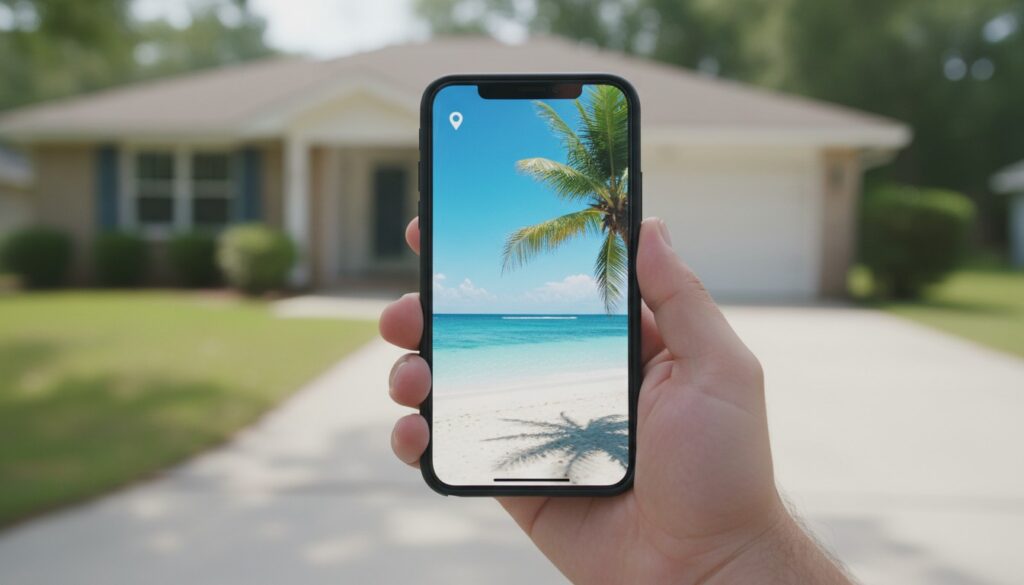
Table of Contents
- Introduction
- Why summer oversharing is a real risk, how criminals use social posts
- Geotags, metadata, and the invisible location clues in your photos
- Live posts, Stories, and the power of delayed posting
- Home automation, visible security, and the digital tells you may be broadcasting
- What law enforcement and safety experts actually recommend (practical steps and how to ask for help)
- Pre-trip checklist and step-by-step actions to protect your home, practical and printable
Introduction
You post a sunny pool selfie with the caption “Back in two weeks!” and drift into vacation mode. A few days later a neighbor sends a photo of your gate, and suddenly that innocent update reads like an invitation. You wanted to share a moment, not hand out an alibi.
Summer is peak travel season, and the same gadgets and feeds that keep you close to friends also make it easy to announce when your house is empty. A timestamp, a visible driveway or a pile of packages can be all a passerby needs. If you know the signals you give away, geotags, visible sight-lines, delivery alerts, you can close those obvious windows before they become invitations. For a quick start, think of digital clean-up, delayed posting, and a short physical checklist before you leave.
Why summer oversharing is a real risk, how criminals use social posts
People looking for easy targets actively scan social platforms. They piece together location tags, captions like “Road trip,” and the rhythms of daily life to guess when a home will be vacant. Police and neighborhood-watch groups warn against posting trip dates for a reason, small details create a clear window.
One photo can show a ladder by the shed, a side gate that opens easily, or a clear sight-line to a back window. Friendly comments such as “We’ll water the succulents” act like a public RSVP. Private groups cut the audience but do not erase the risk, because screenshots and reshares happen. The simplest defenses are timing and metadata control.
Geotags, metadata, and the invisible location clues in your photos
Most phones and many cameras tuck EXIF metadata into images, including a timestamp, camera model and GPS coordinates. Some social sites strip that data on upload, but private messages and cloud backups often keep it. Add a typed location tag and you turn a memory into a beacon.
Stop accidental location sharing with a few practical moves. Disable location services for your camera app, turn off automatic geotagging in phone settings, and remove location data before sending pictures using your phone’s built-in options or a free EXIF cleaner. Test your setup by emailing a photo to yourself and checking the file info or using an online EXIF viewer so you know what others can read. University extension IT guides often recommend turning off camera geolocation while traveling, it’s an easy way to remove one reconnaissance tool.
Removing metadata helps, but pair that with delayed posting and limited sharing for the best protection.
Live posts, Stories, and the power of delayed posting
Waiting 24 to 48 hours after you return before posting albums or clips breaks that timetable and frustrates quick opportunists. A live video from a poolside cabana tells someone exactly when your house is empty. Waiting 24 to 48 hours after you return before posting albums or clips breaks that timetable and frustrates quick opportunists.
You can still share. Schedule posts to publish after you get back, use a close-friends list or a private group, or send photos by direct message to one trusted relative instead of broadcasting publicly. Remember private content can be screenshotted and reshared, so treat private groups as risk reduction, not a guarantee. Post highlights after you’re home, and keep the live updates for when you’re back at your front porch.
Home automation, visible security, and the digital tells you may be broadcasting
Smart home devices are handy, but they create patterns that shout absence: a dark house during daylight, the heater kicking on at odd hours, a calendar of deliveries. Misconfigured devices can leak publicly if cloud settings are open, or if clips auto-post. Even private systems create predictable rhythms that people watching can learn.
Tweak automation with randomness and privacy in mind. Program lighting scenes that vary each night instead of strict on/off times, pause public sharing of video doorbell clips and delivery notifications, and turn off any feature that auto-posts to social feeds. Use strong, unique passwords and two-factor authentication for device accounts, keep firmware current to patch security issues, and run smart devices on a guest network so a compromised gadget cannot reach your main devices. The Federal Trade Commission and cybersecurity experts list these as high-impact precautions.
Mix automation with human help: ask a neighbor to collect packages, park a car in your driveway, or check the house while you are away. When automation blends with a human presence you keep convenience without unintentionally broadcasting an empty home.
What law enforcement and safety experts actually recommend (practical steps and how to ask for help)
Police and neighborhood-watch volunteers give plain advice: do not advertise your absence, pause mail and deliveries, and ask a trusted neighbor to check the house. Many local departments offer vacation-watch services where an officer will drive by and flag anything unusual. Signing up is a small step with a clear payoff.
Tie safety tasks together so you do not fix one problem and create another. Test smoke and carbon monoxide alarms, unplug nonessential appliances such as space heaters and slow cookers, and set HVAC to a sensible temperature to avoid strain or mold. FEMA and the U.S. Postal Service have straightforward instructions for mail holds and storm readiness, and NOAA provides forecast and storm alerts to watch before you travel. The National Pest Management Association and university extension offices point out that vacant homes attract pests, so sealing food sources and trash matters.
When you ask for help, be specific: ask your police department how vacation-watch sign-up works, tell a neighbor the expected window of absence without posting it online, and leave emergency contact information with someone who can respond. These overlapping layers reduce single points of failure that criminals and nature both exploit.
Pre-trip checklist and step-by-step actions to protect your home, practical and printable
Start with digital lockup. Disable camera geotagging, strip EXIF data from any photos you might later share, set social posts to private or delay them 24 to 48 hours, and pause auto-sharing from smart devices. Check delivery apps and security-camera settings for auto-posting toggles and turn those off. Schedule posts in advance if you want to share later and tidy your close-friends lists so you are not broadcasting to everyone.
Move to physical protections. Request a USPS mail hold or arrange for mail and package pickup, secure garage doors and windows, and ask a neighbor to collect packages and rotate interior lights on randomized timers. Test smoke and carbon monoxide alarms, unplug nonessential appliances, and set HVAC to a sensible temperature to avoid strain or mold. If you live in a storm-prone area, bring in or secure outdoor furniture, trim dead branches within 10 to 15 feet of your roof, and store important documents in waterproof containers following FEMA guidance.
Address pests and household safety before you walk out the door. Remove attractants like compost or pet food, seal openings larger than half an inch where mice can enter, set simple traps if you have had prior issues, or schedule professional treatment when seasonal pest surges are common. Do not post about minors’ absence on public feeds and share itineraries only with trusted contacts. Make sure emergency numbers are accessible to caregivers.
When you return, resist the impulse to post immediately. Walk the perimeter, check locks and systems and your mailbox first, then share the photos you saved. Those few extra minutes reduce both the digital clues and physical vulnerabilities that draw unwanted attention, and let you enjoy your trip without extra worry.
Future follow-ups homeowners often ask about include battery life for detectors, how often to update device firmware, and how to verify vacation-watch registration with local police. Those are sensible next topics to explore.