

Q: Is public Wi‑Fi at hotels, airports and cafés safe to use while traveling?
It’s convenient but risky. Use a layered approach: verify the network with staff, use a reputable VPN, rely on HTTPS and multi‑factor authentication, and avoid entering credentials on unexpected portal pages. Follow the practical checks below before you connect.
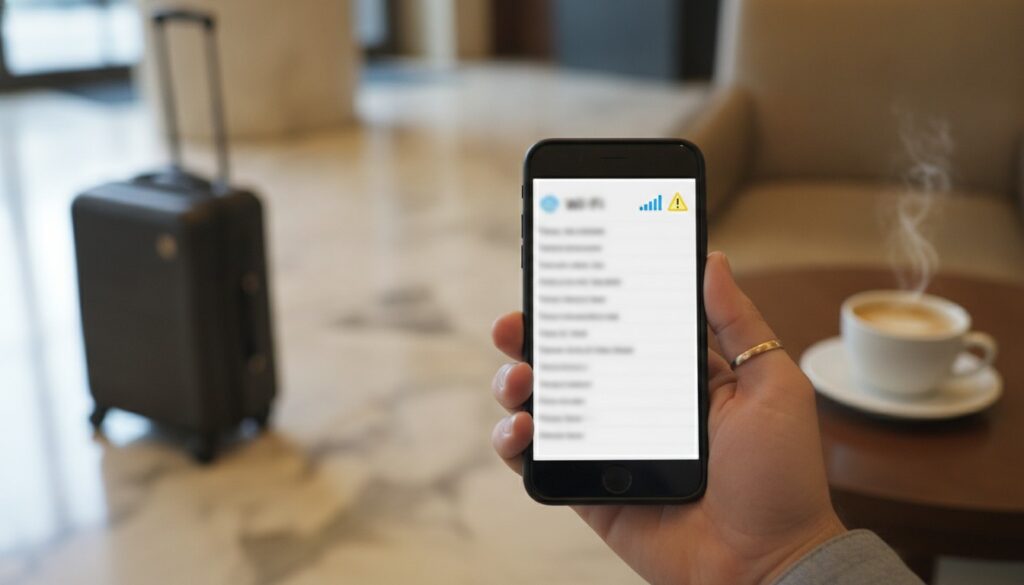
You’re standing in the lobby, suitcase by the bench, coffee steam fogging the phone screen, and a familiar network name pops up: “Hotel-Guest-WiFi.” That little tap to connect feels harmless, but it can hand strangers a fast lane to your accounts if you’re not careful. Browser protections and wider HTTPS adoption have made casual eavesdropping harder than it used to be. Still, attackers have adapted with tricks those protections do not stop. For plain spoken guidance, check resources from the FTC and CISA, and pair this advice with the travel checks you already do from FEMA and the CDC, so you protect both your house and your online life.
Why public Wi‑Fi still matters in 2026
Look around a busy airport and you’ll notice more sites defaulting to HTTPS, and phones flagging suspicious networks sooner than a few years ago. Certificate authorities and services like Let’s Encrypt pushed much traffic toward encryption, and browsers now include stronger site isolation and phishing warnings. Those improvements cut the chance a casual eavesdropper reads your traffic, but they do not remove the danger. Attackers set up evil twin hotspots that mimic legitimate networks, intercept DNS responses to redirect you, and use captive portal screens to harvest logins. Multi‑factor authentication and passkeys protect many accounts, but smaller travel portals and loyalty sites that still accept passwords without extra verification remain tempting targets.
The real threats on hotel, airport and café networks
Imagine two networks called “ResortGuest,” one with a full signal and a glossy login page asking for your room number before you see a password prompt. That is a classic evil twin, deliberately familiar so guests connect without thinking. Captive portal abuse and DNS manipulation are subtler but just as effective. In a busy concourse someone can redirect your browser to a convincing phishing page that has a valid TLS certificate, and you might not see the red flags you expect. Rogue devices on local networks, like compromised printers or tampered routers in a conference room, can intercept traffic, perform ARP spoofing, or pass malware between machines. Experts at CISA and the FTC have documented these patterns repeatedly, so treat unfamiliar portals and duplicate SSIDs as real risks.
How to spot and avoid “evil twin” and deceptive hotspots
At check in, ask the front desk for the exact Wi‑Fi name and any password or portal instructions. Staff will often print a card or tell you the SSID and sometimes the device MAC, which you can compare to what your phone shows. That one minute saves a lot of trouble. On your device, look for the MAC or BSSID when you view network details so you can spot duplicate names coming from different hardware. Check certificate details on a login page, and reject portals that ask for passwords, payment information, or sensitive personal data before you have confirmed the domain. Turn off auto-join, forget networks when you leave, and keep Bluetooth off in public spaces so your device is not advertising services.
Tools that help, VPNs, HTTPS, MFA and what they actually protect
Think of a VPN as a private tunnel between your device and a remote server, encrypting local traffic so nearby snoopers and man in the middle attackers cannot read your packets. A vetted, paid VPN or a built in OS option is far safer than free apps with unclear logging policies. TLS and HTTPS protect content end to end, so attackers on the same network generally cannot read messages between you and a properly configured site, but a secure padlock does not prove the site is trustworthy. Phishing pages can and do use HTTPS. Multi‑factor authentication and passkeys are the best guards against account takeovers, so enable app based authenticators or hardware tokens like a YubiKey rather than relying on SMS. Keep devices patched and enable secure DNS (DoH or DoT) when available, since these layers reduce different classes of risk and work best together.
Practical travel checklist: secure your accounts and devices
Two days before you leave, update phones, laptops and tablets to the latest OS and app versions, back up important photos, and enable full disk encryption and a strong device passcode so a lost device does not hand over your life. Install or confirm a reputable VPN is configured, turn on secure DNS if your system supports it, and set up MFA and passkeys on critical accounts so a stolen password will not grant immediate access. If you use a password manager, make sure it is up to date and remove any payment methods you will not need.
At check in, compare the network name from the front desk to the SSID on your device. When you must do banking, prefer your phone’s cellular hotspot over hotel Wi‑Fi, because the carrier link is usually safer than a shared public network. During the day, keep Wi‑Fi off when you are not using it, disable AirDrop or Windows network discovery, and avoid logging into accounts on a public kiosk or an unfamiliar browser. If you use café Wi‑Fi, enable your VPN first, stick to apps with built in protections rather than browser logins when possible, and never enter passwords into a portal that appeared unexpectedly. Use a password manager to create unique, strong passwords, limit the number of connected devices, and “forget” hotel or café networks when you leave. On crowded travel days, when people rush and networks are noisy, be extra cautious. Attackers rely on hurried behavior.
Tie these digital steps to your home safety plans. Before you go, set timers for lights, unplug small appliances you do not need running, check smoke detector batteries, and secure doors and windows. FEMA, the CDC and NPMA offer straightforward travel and home security checklists that line up well with these online precautions: protect your house, then protect your accounts.
If you suspect exposure, immediate steps and who to contact
If you notice unexpected emails, password reset messages you did not request, or unfamiliar charges after using public Wi‑Fi, disconnect at once and switch to mobile data. From a secure connection such as your phone hotspot, change passwords for accounts you used on the risky network, revoke active sessions where possible, and enable stronger MFA if it was not already in place. Run updated antivirus or antimalware scans, look for unknown profiles or configuration changes, and remove any suspicious apps. For complex or targeted compromises, consider a professional forensic check at a trusted repair shop rather than attempting a deep clean yourself.
For financial exposure, call the number on the back of your bank or credit card and report suspicious charges, freeze or replace compromised cards, and follow the issuer’s fraud procedures. File a complaint with the FTC at FTC.gov/complaint and follow their identity theft recovery guidance. If you suspect a broader intrusion, consult CISA’s incident response recommendations. Finally, tie these actions back to any physical concerns at home while you were away: check timers, alarm status and neighbor check ins so both your property and your digital identity are secure.